FinalPrice
Sole Developer · Chrome Extension · Published on the Web Store
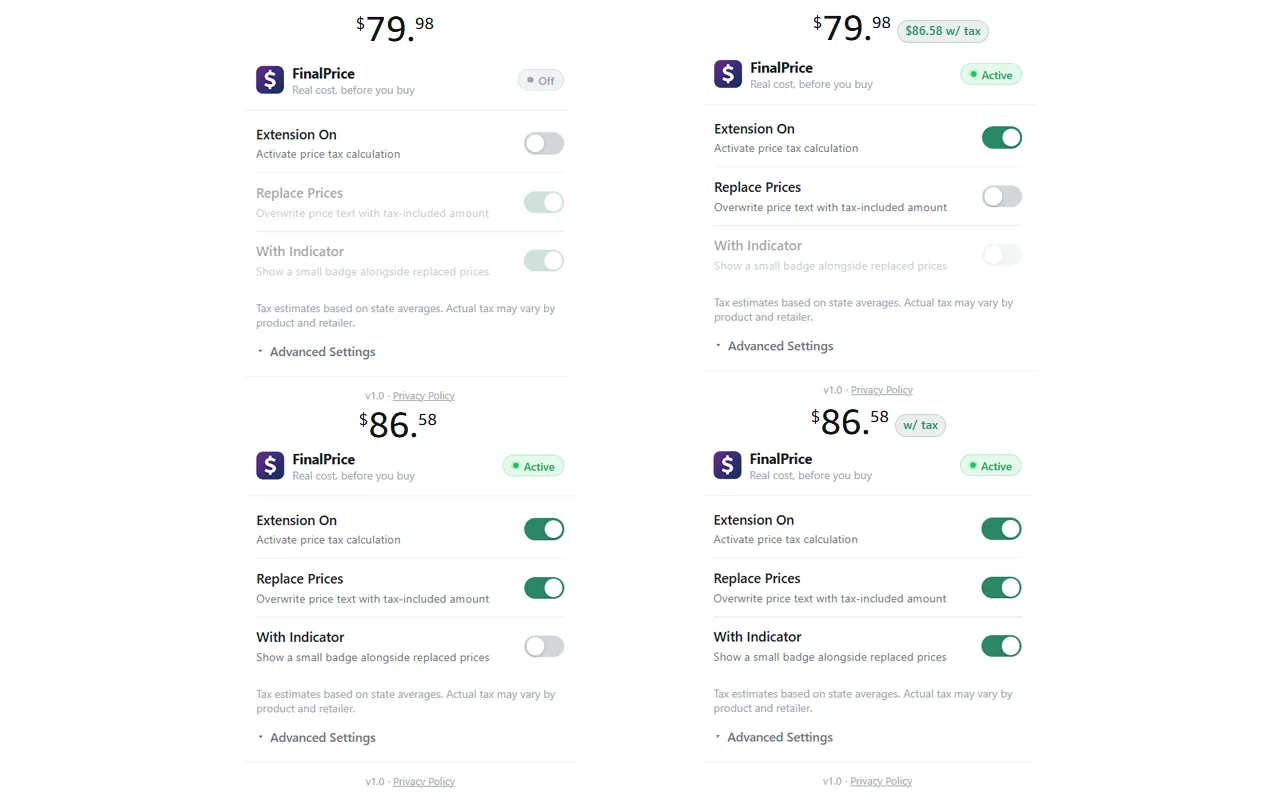
FinalPrice detects prices on any
webpage and shows you the real cost, tax included, before you buy. It adds a small badge
with the after-tax total next to every price it finds (or replaces the price outright),
and it works on Amazon, Walmart, eBay, and most other shopping sites. I designed, built,
tested, and published it solo.
Built with: JavaScript (Manifest V3), Vitest
How It's Built
Two-Phase Price Detection
The content script processes pages in two phases: a mark pass walks the DOM,
finds price text with a locale-aware parser (US, EU, and space-grouped formats), and
annotates it without touching visible text; a render pass then computes the
tax-included values and draws the badges. Splitting the work this way means a settings
change only re-renders instead of re-walking the whole page. A MutationObserver and shadow DOM
scanning keep it working on single-page apps, lazy-loaded content, and embedded checkouts.
Knowing When Not to Add Tax
Finding prices was the easy part. The tricky part was knowing which ones to leave alone.
The extension reads the text around each price to classify it: struck-through "was" prices,
per-unit rates like $0.35/oz, and shipping thresholds like "orders over $35" are skipped,
while phrases like "incl. VAT" (in English, German, French, and half a dozen other
languages) flag prices that already include tax. It also parses each page's schema.org
metadata for the declared currency and tax status, and defaults to tax-included on
EU/UK/AU storefronts where the law requires inclusive pricing.
Features
FinalPrice auto-detects your US state tax rate by IP, or you can set a state manually and
stack a local city/county rate on top. Per-site controls let you override the rate,
blacklist, or whitelist individual domains, and prices can be converted to 30+ currencies
using hourly-cached live exchange rates. It collects no data. All settings live in
your browser, and the only network requests are the ones you opt into.